


Wave: Small Business Software
3.34.22K Reviews
App Specs
- Version
- 4.20.0
- Updated On
- License
- Free
- Downloads
- 500,000+
- Developer
- Wave HQ
- Categories
- Business
- Platform
- Android
Screenshots

 Analysis by AppCompare
When I judge a small-business finance app, I care about more than how quickly it can produce an invoice. I’m also asking what kind of work I’d trust it with, how much control I retain, and whether its day-to-day workflow suits the way I actually run a business. Wave is a business app from Wave HQ, and its focus is practical: keeping invoicing and expense paperwork close at hand rather than making a phone feel like a full office.
That distinction matters if you handle client details, transaction records, or photos of receipts on a personal device. I wouldn’t treat any finance app as a reason to stop using sensible account precautions, and I prefer to understand what I’m choosing to enter before making it the home for every business record. Wave’s usefulness is clearest when you give it a specific job, such as preparing invoices or collecting expense documentation, and then decide whether that role fits your working habits.
A familiar job, with a mobile-first trade-off
Wave sits between a basic invoice maker and the accounting software many owners use on a computer. A simple invoice app can be quicker if all you need is a one-off bill, while a spreadsheet offers more freedom over how you organize figures. The attraction here is bringing invoicing, receipt capture, and financial records into a connected small-business workflow. The trade-off is that an app with several finance tasks can feel like more than you need if your books are already handled elsewhere.
I’d consider it for a freelancer who sends recurring client bills, a consultant who travels between appointments, or a very small operation that wants to keep receipts from vanishing into bags and glove compartments. It is less compelling for someone who only invoices occasionally and already has a reliable, low-friction process. Before moving existing records over, I’d also think about how the app fits alongside any bookkeeping routine I already depend on: duplicating entry across tools can create more work, not less.
Where trust comes into the workflow
Financial information deserves a more cautious approach than a casual note-taking app. In practice, I’d start by using a password I don’t reuse elsewhere, keeping access to my device protected, and being deliberate about what I record or photograph. Those are habits I’d bring to any business finance tool; they are not a substitute for understanding the account and privacy choices available inside the app.
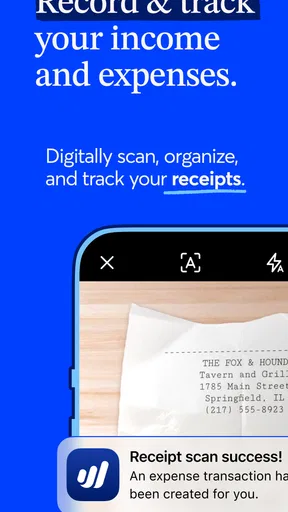
Receipt photos are a useful example of a small decision with real consequences. A quick camera capture can save a paper slip from fading, but it can also include details beyond the amount and date that I need for bookkeeping. I’d check the frame before saving it, crop out unrelated information where possible, and avoid photographing documents that have no business purpose in my records.
I would also make account control part of setup rather than an afterthought. Check the sign-in and recovery options presented to you, keep recovery details current, and review any visible settings before connecting a workflow to sensitive financial activity. That approach gives me a clearer sense of what I’m choosing than assuming that a polished screen alone tells the whole story.
Worth Reading Before You Choose

EA SPORTS FC Mobile 26 Is a Bigger Football Game, but It Takes Time

Flipboard Shows What News Apps Must Do Beyond the Feed

Switching to Android Auto Means Rethinking Your Driving Routine

Google Calendar Makes a Crowded Week Easier to Manage

Ludo King Makes the Most of the Minutes Between Plans

Baby Panda World Brings Quick Play to Modern Phones, but Its Game Library Feels Busy
Who should take a closer look—and who may not need it
The best fit is someone who wants routine financial admin to be easier to do at the moment it happens. If I finish a job, I can prepare an invoice while the client and project details are still fresh. If I buy supplies, I can capture the receipt before it gets lost. That immediacy is valuable because small administrative tasks often become a painful batch of catch-up work when postponed.
I’d be more cautious if I were managing complicated finances, several people’s access, or a process that depends on specialized accounting rules. A mobile tool can make everyday tasks convenient without replacing professional bookkeeping advice or a more capable desktop system. If your business needs a carefully tailored approval process or a particular reporting workflow, first make sure the app’s current controls match that need instead of assuming that a small-business label guarantees it.
Wave’s place among the alternatives
Compared with a spreadsheet, Wave aims to reduce the manual steps involved in keeping invoices and expense records together; the spreadsheet wins when I want to design every column and formula myself. Compared with a dedicated invoicing tool, Wave’s broader bookkeeping approach may be more useful once a business needs to think beyond sending bills. But breadth can add navigation and setup, so the right choice depends on whether you want a connected routine or one narrow tool that does a single job.
I’d avoid switching simply because another app looks more polished or because a new system promises to organize everything. Instead, I’d test the practical path I use most: create a sample invoice, check how I would record a purchase, and see whether I can find the information again without hunting through menus. That reveals more about fit than a feature checklist, especially if I’m balancing work from a phone while serving clients.
A realistic day with invoices and receipts
Picture a freelance designer finishing a client call at a café and buying a notebook and cables on the way back to a project. The useful routine is not to do all the bookkeeping at once: make a note of the bill while the agreed work is clear, then photograph the purchase receipt before leaving the café. Later, when reviewing expenses, the designer can use the captured record as a prompt to check the amount and category rather than relying on memory.
That workflow works best when the owner gives each entry enough context to be useful later. A receipt image by itself may not explain which client or job it relates to, so I’d add a consistent reference wherever the app’s available fields allow it, or keep a separate note if they don’t. This is a small habit, but it can make a monthly review much less like detective work. It also avoids treating automatic categorization as infallible: I’d inspect entries before using them to make decisions.
Questions I’d settle before relying on it
Would I use it as my only accounting system? Only if its current tools and workflow cover the needs of my particular business. I’d compare a few real tasks against the way I currently prepare records, then decide whether it reduces effort without leaving important gaps. For complex tax, payroll, or compliance decisions, I’d still seek qualified guidance rather than treating a mobile app as an adviser.
Is it suitable for a team? That depends on the account and access controls available for the setup I’m considering. I’d check those controls before sharing financial work, and I wouldn’t assume that every role or approval arrangement is supported. If more than one person handles business money, clarity about who can view or change records should be part of the decision.
Can I use it without paying? The app is free to download, while in-app purchases range from around eight to 190 dollars per item. I’d check the current purchase details in the app before committing to a paid option, and judge the cost against a task I genuinely need rather than upgrading just to explore. That makes it easier to tell whether the free workflow is enough for my business.
Will it suit every phone or setup? The current version is 4.13.0 and requires Android 9 or later. I’d check that my device meets the requirement and that the app is available for my platform before planning to move daily work into it. The age rating is Everyone, but that describes content suitability, not whether the app is the right operational choice for a particular business.
Wave has an average rating of 3.3 from about 24,000 ratings, alongside roughly 4,200 written reviews and more than 500,000 installs. I take that as a reason to assess the actual workflow for myself, not as proof that the app will fit every business. A short trial with ordinary tasks is a better test than relying on popularity alone.
So, I’ve been diving into the world of small business management apps, and I’ve got to tell you about an absolute gem I found: Wave: Small Business Software. If you're juggling a million things at once, like most small business owners, this app might just be your new best friend. Let's break it down, shall we?
Getting Started with Wave
First things first, setting up Wave is a breeze. I mean, nobody wants to spend hours trying to figure out how to get started, right? You simply sign up with your email, and boom, you’re in. The dashboard is clean and intuitive, making it easy to navigate all its features without feeling overwhelmed.
Features That Make Life Easier
Now, let’s talk about what Wave can do. It’s got a ton of features, but let me highlight a few that really stand out.
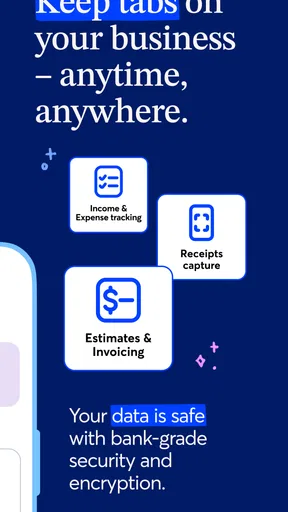
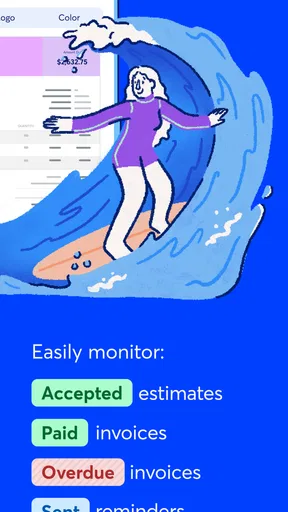
- Invoicing Made Simple: Create professional invoices in seconds and send them to clients directly from the app. You can customize them too, which adds a nice personal touch.
- Expense Tracking: Tired of keeping up with receipts? Just snap a picture and upload it. Wave categorizes and tracks everything for you.
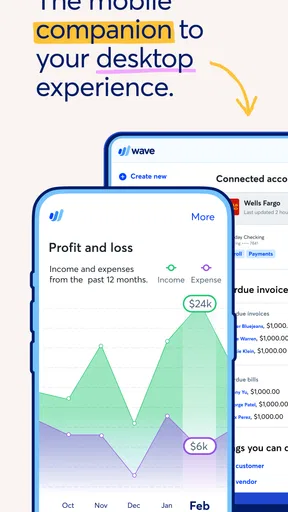
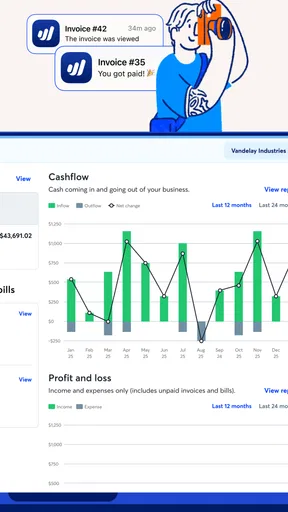
- Accounting and Reports: Whether you love numbers or hate them, Wave’s accounting tools make it easy to keep track of your finances. The reports are especially useful for getting a quick snapshot of how your business is doing.
User Experience
The user experience is smooth as silk. The app doesn’t lag, and it’s responsive, which is crucial when you’re trying to get things done quickly. Plus, the design is modern and visually appealing. You’ll actually enjoy spending time on it—something I never thought I’d say about accounting software!
Mobile App Functionality
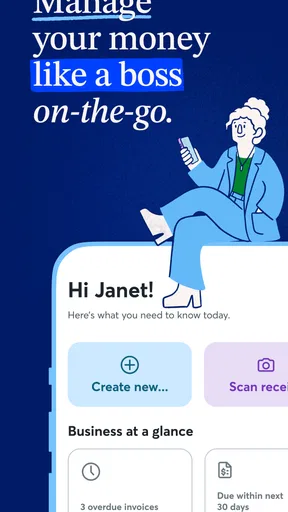
If you're like me, you want to handle business on the go. Wave’s mobile app is a game-changer. It lets you manage your business from anywhere. You can send invoices, check your cash flow, or even add expenses while sipping coffee at your favorite café.
Security and Support
Alright, let’s touch on security. Wave takes it seriously. They use bank-level encryption to protect your data, which is a huge relief. And if you ever hit a snag, their support team is friendly and quick to help. You can reach out via email or check their comprehensive help center for answers.
Why It’s Worth Trying
I’ve tried a few apps before, and trust me, Wave: Small Business Software really stands out. It’s free to use, which is a massive plus for small business owners. While they do offer paid features, the free version is robust enough for most users. It’s perfect for freelancers and small businesses that don’t want to break the bank.
Wrapping It Up
In summary, if you're looking for a reliable, easy-to-use tool to manage your business finances, Wave is definitely worth checking out. It’s like having a personal assistant that never sleeps. So go ahead, give it a whirl. Your business will thank you!
Pros
- User-friendly interface makes navigation simple.
- Comprehensive invoicing features included.
- Syncs seamlessly with bank accounts.
- Affordable pricing plans for small businesses.
- Real-time expense tracking enhances budgeting.
Cons
- Limited customization options for reports.
- No offline access; internet required.
- Basic inventory management features.
- Customer support can be slow at times.
- No native time-tracking functionality.
FAQs for Wave: Small Business Software
What features does Wave offer for small business owners?
Wave provides a comprehensive suite of tools for small business owners, including accounting, invoicing, and receipt scanning. Users can manage financial data, create and send professional invoices, and track expenses with ease. Its user-friendly interface and integration capabilities make it an effective choice for managing small business finances.
Is Wave really free to use, or are there hidden costs?
Wave is genuinely free for its core features, such as accounting and invoicing. However, there are paid services like payment processing and payroll, which incur additional fees. This pricing model allows users to access essential tools at no cost while opting for premium features if needed.
How secure is my financial data with Wave?
Wave employs top-notch security measures to ensure the safety of your financial data. This includes 256-bit SSL encryption, secure servers, and regular security audits. Users can trust Wave to handle sensitive information responsibly, adhering to industry-standard security protocols.
Can Wave integrate with other software I already use?
Yes, Wave offers integrations with various applications to enhance its functionality. It can connect with platforms like PayPal and Etsy, and there are options for integrating with other accounting tools through Zapier. This flexibility allows businesses to streamline their processes efficiently.
Does Wave support multiple currencies for international business?
Wave supports multiple currencies, making it ideal for businesses dealing with international clients. Users can send invoices and track payments in various currencies, which is crucial for businesses operating globally. This feature simplifies the management of international transactions.


